Coming soon.

Refervia for iPhone and Android.
Your Referral Desk on your phone. Send a referral between appointments and know the moment your partner marks it Contacted.
Coming soon to the App Store® and Google Play.
The Refervia app on two phones. Riley Morgan sends a client, Priya Nair, to her insurance partner David Ruiz from the iPhone app. David gets it right away on the Android app and marks it Contacted, and Riley's Referral Desk shows Contacted.


Riley sends Priya to Davidon the iPhone® app
David gets it, and marks it Contactedon the Android app
From tap to Referral Desk.
The Referral Desk you know, with its own icon on your phone. Here's what you see when you open it.
- 1
Tap Refervia
It opens full screen, on its own, with no browser bar.
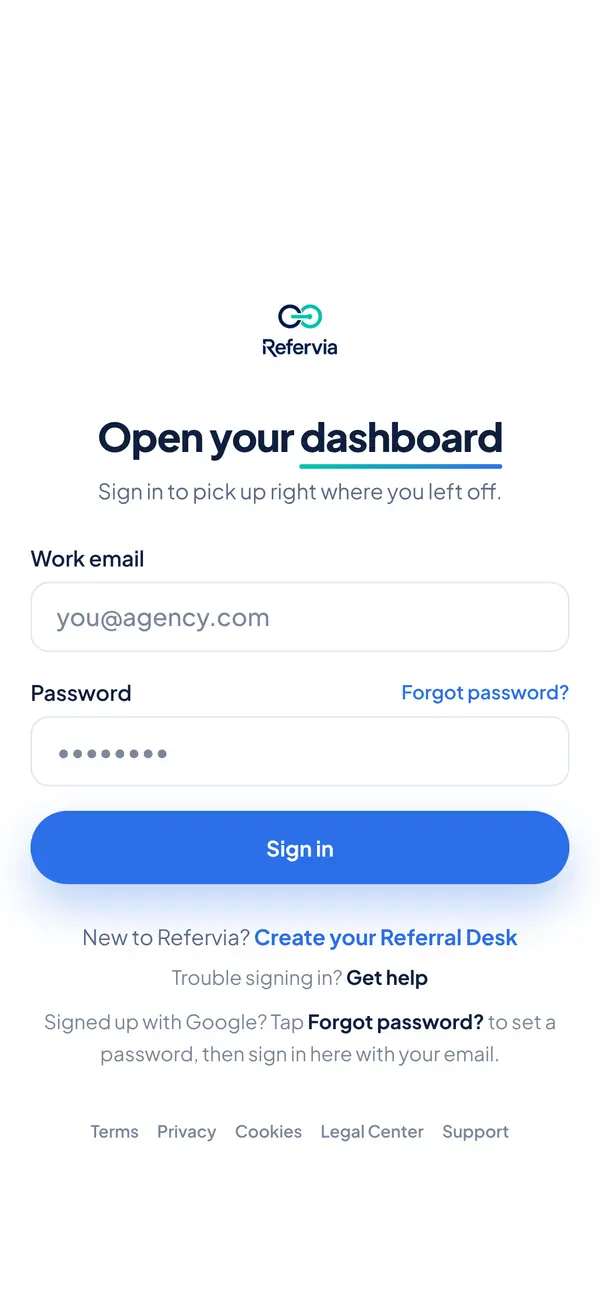 2
2Sign in once
Use the email and password you already have. You stay signed in.
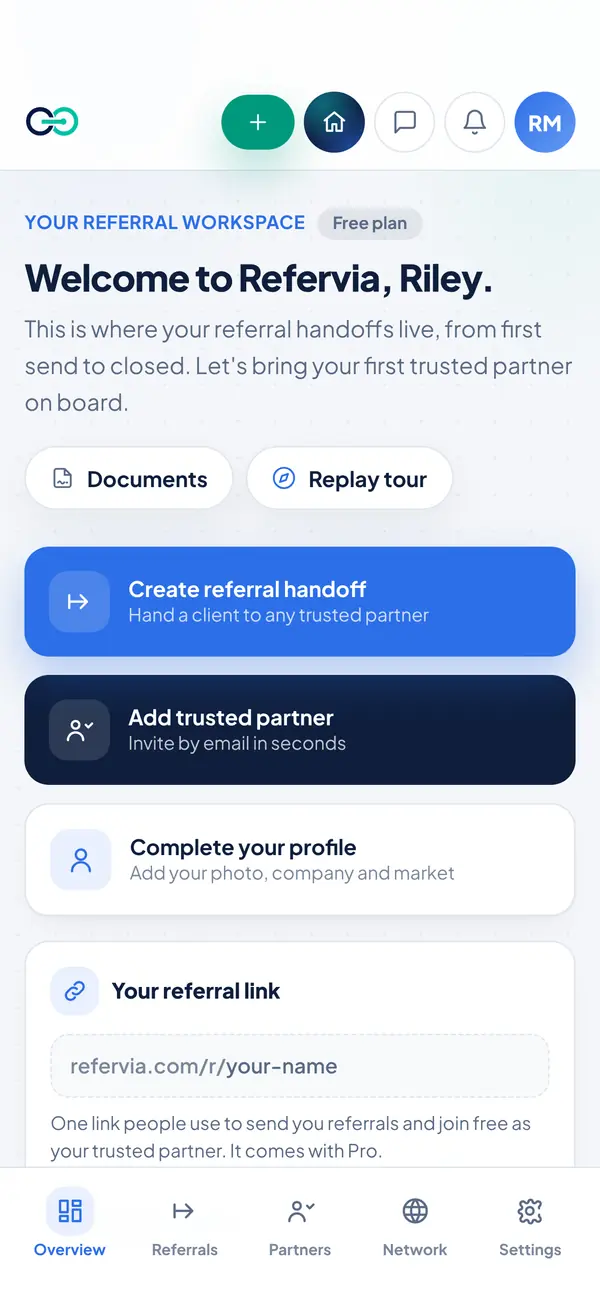 3
3You're at your desk
Every referral, partner and message, on the same account as the web.


Same desk. Smaller screen.
Everything you do on the web is in the app, on the same account, plus the things only a phone can do.
- Send from anywhere
- Pick the client, what they need and the partner, and the referral is on its way, from the car or the open house.
- Alerts that find you
- A new referral, a status change, a message or a document to sign: your phone tells you as it happens, even with the app closed.
- Sign where you are
- Your partner agreement and the documents partners send you open right in the app. Read them and sign on the spot.
- Share from your phone
- Your branded referral link and client status links (Pro and up) go out through your phone's own share sheet: a text, an email, any app you use.
- A tap you can feel
- A light tap when a referral goes out, and another when one is marked Completed.
- One account
- The same Referral Desk as the web. Send from the app, follow up from your laptop. Nothing to sync.
The alerts Refervia sends, word for word, with made-up names.
Use it on your phone today.
Refervia already works in your phone's browser. Add it to your Home Screen and it opens full screen, like an app.
On iPhone
- 1Open refervia.com in Safari and sign in.
- 2Open the Share menu and tap Add to Home Screen.
- 3Open Refervia from your Home Screen and turn on alerts in Settings, under Notifications. On iPhone®, they only work from the Home Screen.
On Android
- 1Open refervia.com in Chrome and sign in.
- 2Tap the menu, then Add to Home screen or Install app.
- 3Turn on alerts in Settings, under Notifications.
Questions about the app
- When will the app be out?
- Soon. There's no date to share yet. The iPhone and Android apps go live once both stores approve them, and the download links will be on this page that day.
- Which phones does it work on?
- iPhone with iOS 15 or later, and Android phones with Android 7.0 or later. The apps are made for phones; on a tablet or a computer, use refervia.com. At launch they're available in the United States.
- Is the app free?
- Yes. The app is free to download and works with every plan, Free included. Your plan stays the same, and you manage it here on the website.
- Do I need a new account?
- No. Sign in with the email and password you use on refervia.com, and your referrals, partners, messages and documents are already there. If you joined with Google, set a password first: tap Forgot password? on the sign-in screen, or add one in Settings, under Sign-in & security.
- Can I use Refervia on my phone now?
- Yes. Refervia works in your phone's browser today. Add it to your Home Screen to open it full screen; on iPhone, that's also what lets Refervia send you notifications. See how
- What happens to my notifications?
- You keep every alert you get today. When the app asks, allow notifications, and your phone gets them from the app, even when it's closed. Choose which devices get them in Settings, under Notifications. The bell on your Referral Desk and important emails stay on either way.
Start on the web today.
Create your free Referral Desk now. When the app is out, sign in with the same account and everything is already there.
iPhone and App Store are trademarks of Apple Inc., registered in the U.S. and other countries. Google Play is a trademark of Google LLC. Android is a trademark of Google LLC.