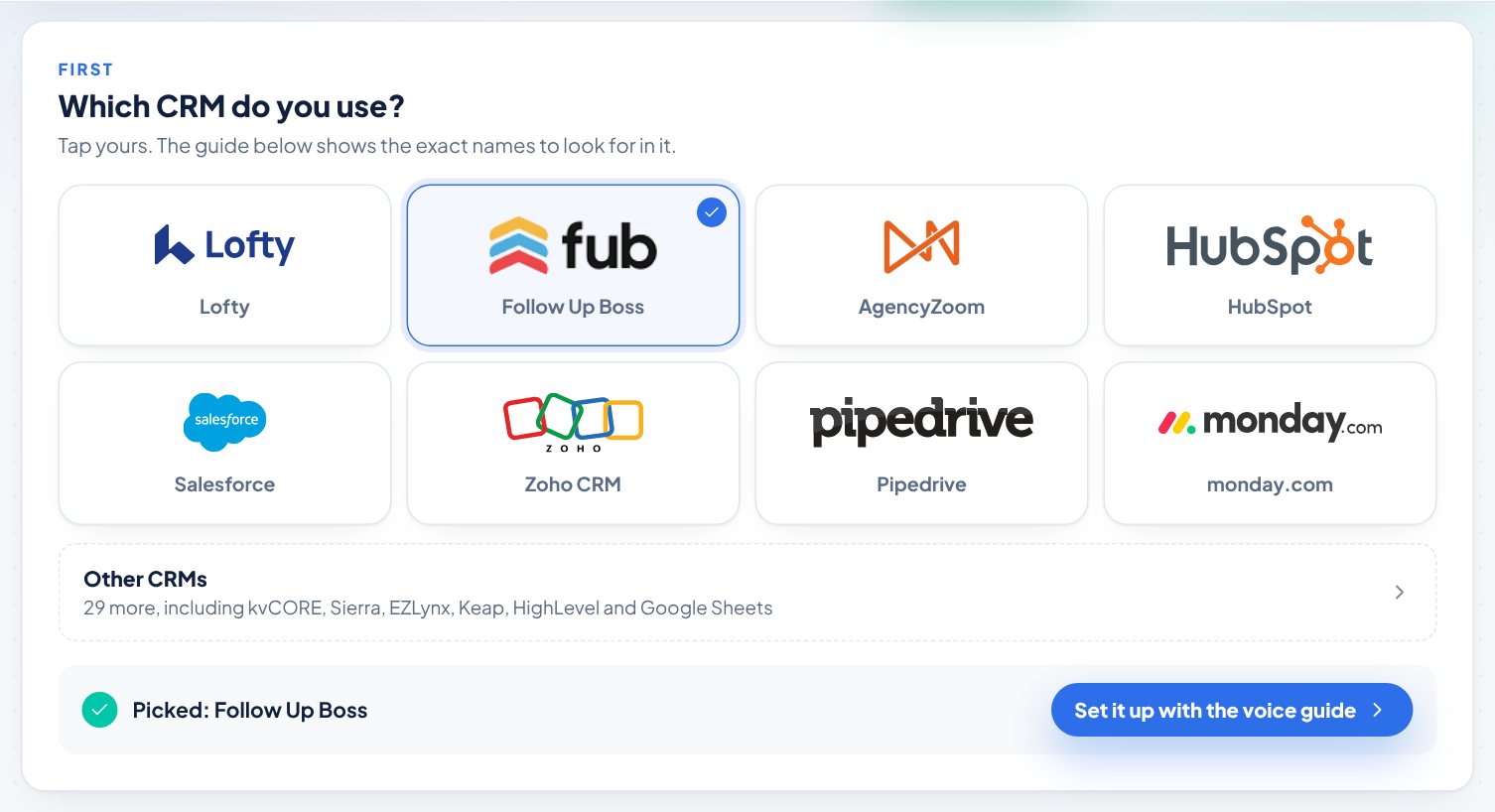
The guided setup on the Integrations page has steps for each CRM below. Every one connects through Zapier. Pick yours under Which CRM do you use? and the guide fills in the exact Zapier names to look for.
Featured
Lofty, Follow Up Boss, AgencyZoom, HubSpot, Salesforce, Zoho CRM, Pipedrive and monday.com. These show as tiles at the top of the picker.
Real estate CRMs
BoldTrail (kvCORE), Sierra Interactive, CINC, Real Geeks, BoomTown, Wise Agent, LionDesk, Top Producer, Brivity, Propertybase, Realvolve and IXACT Contact.
Insurance agency systems
EZLynx, Better Agency, Jenesis and Ricochet360.
Sales & business CRMs
Close, Keap, HighLevel, ActiveCampaign, Copper, Freshsales, Insightly, Nimble, Cloze, Microsoft Dynamics 365 and Agile CRM.
Spreadsheets & databases
Google Sheets and Airtable.
Steps
- Open Integrations in the left menu.
- Click Start setup.
- Tap your CRM. For the longer list, tap Other CRMs, then type in Search for your CRM.
Good to know
- Some names are different on Zapier. Search Zapier for kvCORE (BoldTrail), JenesisNow (Jenesis), LeadConnector (HighLevel), Freshsales Suite (Freshsales) and Ricochet - Speed to Contact (Ricochet360).
- Salesforce, Zoho CRM and Microsoft Dynamics 365 are Premium apps on Zapier. Every setup already uses Webhooks by Zapier, which needs a paid Zapier plan or Zapier's 14-day trial.
- For Google Sheets, add a header row first (First name, Last name, Email, Phone, Type, Notes) so Zapier can show the columns.
Trouble?
- "My CRM is not listed": Tap Not listed? Use any app on Zapier. Zapier connects to thousands of apps and the steps are the same.
- "My CRM has no Zapier app": Use Make or your own developer (see Other ways to connect on the page), or click Export CSV on the Open referrals card on your Overview and import the file into your CRM.
Was this helpful?