Insights shows how fast referrals get a first contact and how many close. Team owners and admins also get a Team leaderboard that ranks their agents or producers.
Steps
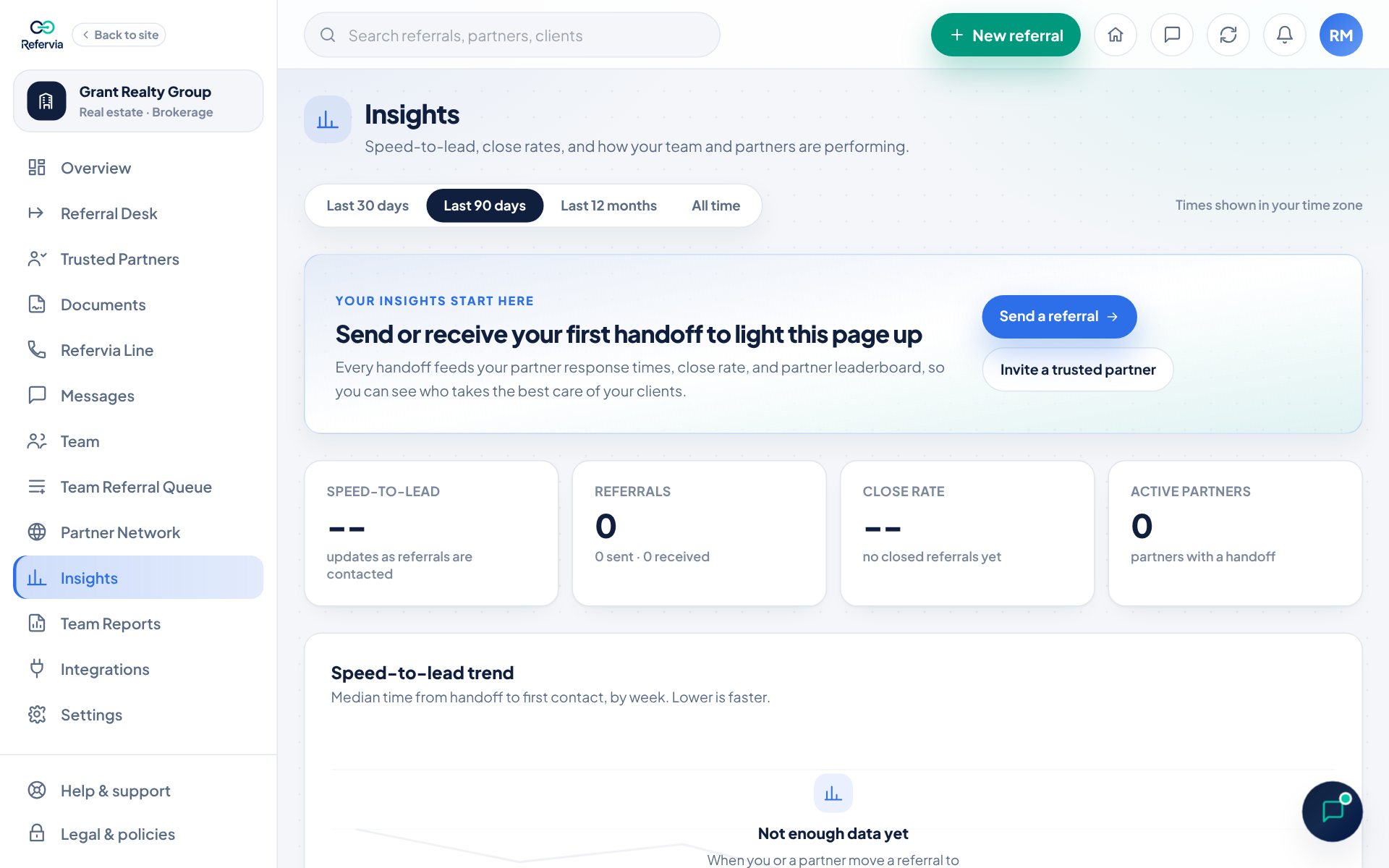
- Open Insights in the left menu. On a phone, tap the bell at the top, then View all activity.
- Pick a date range at the top: Last 30 days, Last 90 days, Last 12 months or All time. Your choice is remembered on that device.
- Read the four cards at the top: Speed-to-lead (or Partner response), Referrals, Close rate and Active partners.
- Scroll down to the charts: Speed-to-lead trend, Referral volume, Outcomes and By referral type. Click Table view on a chart to see the numbers.
- Owners and admins: find the Team leaderboard card.
Reading the Team leaderboard
- The top strip shows Team referrals, Unclaimed now and Team speed.
- People are ranked by completed referrals, then referrals claimed. Ties go to the faster responder.
- Speed is the median time from posting to first contact.
- When two or more people have claimed referrals, the top three stand on a podium.
- The Standings list shows Claimed, Completed, Close rate and Speed (some columns hide on small screens).
- People with no claims in the period sit in one strip. Click See who to list them.
- With more than 12 people on the team, a Find an agent (or Find a producer) search box appears.
- An owner who has not claimed anything is left off the board.
Good to know
- Speed numbers need at least 3 measured contacts. Until then you see -- and how many contacts are still needed.
- The speed clock stops the first time a referral moves to Contacted, In Progress or Completed, so keep statuses up to date.
- Close rate is completed referrals divided by referrals that are closed out.
- Times are shown in your own time zone.
- The Team leaderboard shows for the team owner and admins. Members see their own numbers.
- On Brokerage, Agency and Enterprise, owners and admins also see a See the whole brokerage pipeline card (or agency). Click Open Team Reports to see every referral across the team. See Team Reports and email reports.
- Every Insights page also has a Partner leaderboard for your Trusted Partners.
Trouble?
- "Not enough data yet": The trend needs 3 or more contacts across at least two weeks or months.
- "No referrals in the last 90 days": Click Show all time to widen the range.
- "Team numbers could not load right now.": They refresh on their own. Reload the page if it stays.
- The leaderboard is empty: Post a referral to the Team Referral Queue. People rank as they claim and close.
Was this helpful?